
Track Crypto Without Connecting a Wallet
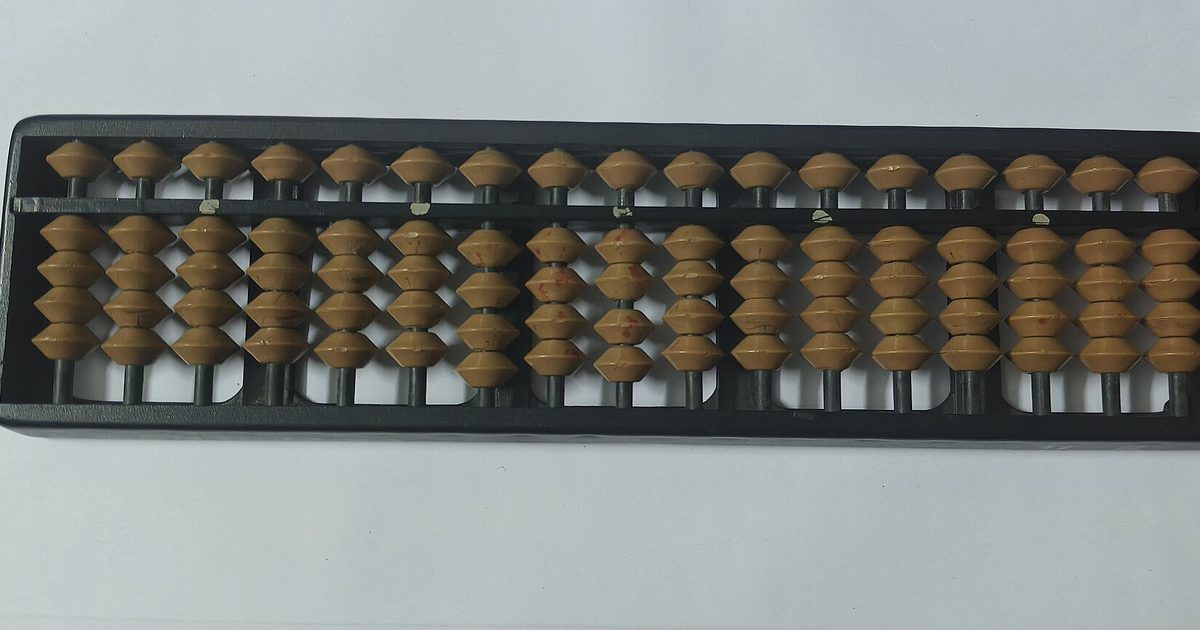
A crypto portfolio tracker without connecting a wallet runs on one mechanism: you type in the amounts you hold, and the app multiplies each one by a public market price. No address is read, no venue credential is stored, no account is created.
That is one of three ways any tracker can learn what you hold, and the three differ less in what they show you than in what they take from you. This page sets them side by side, names the cost of each, and marks the point where typing the numbers yourself stops being the right tool. It describes how trackers work; it is information, not financial advice, and it recommends no asset and no transaction.
How can a tracker know what you hold without connecting a wallet?
A tracker learns your holdings in exactly one of three ways: it reads a public address you paste in, it polls an exchange account through a read-only API key, or it takes the numbers you type. Only the third hands over nothing, because the multiplication happens on your own phone and the price lookup asks a public question — what is Bitcoin worth right now — that says nothing about you.
| Method | What the tracker receives | What it costs you | When it makes sense |
|---|---|---|---|
| Public wallet address | A permanent on-chain identifier and its whole history | Transaction visibility that is retroactive and permanent | You already hold on-chain in a few addresses you accept as public |
| Read-only exchange API key | Live balances and order history for that account | A credential sitting on somebody else's infrastructure | You move positions weekly on one or two venues |
| Manual entry | A coin name and a number you chose to type | Your time, and drift between edits | You hold a handful of positions and check them occasionally |
None of the three involves a seed phrase. A request for one is not a fourth method, it is theft — the reasoning is set out in why no tracker needs your recovery words.
What does a public wallet address reveal once you paste it in?
A public wallet address reveals its entire history to whoever holds it, forever. bitcoin.org states that all Bitcoin transactions are public, traceable and permanently stored in the Bitcoin network, and that anyone can see the balance and all transactions of any address (Protect your privacy).
The exposure is not limited to today. Because the ledger is permanent, bitcoin.org warns that something not traceable currently may become trivial to trace in the future, and advises that addresses should be used once and not disclosed. If an address is ever tied to your name — by an exchange withdrawal, a domain name, a public donation — the link reaches backwards over every transaction that address ever made.
Pasting an address is not a security feature, and it is worth refusing the framing. An address is read-only by design, so no tracker could move funds with one anyway. "We never see your keys" answers a question nobody asked. The question that matters is whether the app needs to see anything at all.
Is a read-only exchange API key safe to give a portfolio tracker?
A read-only exchange API key cannot move funds, but it exposes the full balance and order history of that account to whoever holds the key. Two separate trusts are involved: that you set the permissions correctly at the exchange, and that the tracker stores the key safely.
The second trust is the one you cannot verify. A key held on a third party's infrastructure is a key that can leak in that third party's breach, and bitcoin.org notes that history has shown that exchanges and online wallets can be hacked, fail, or freeze access to funds (Secure your wallet). If you do use a key, generate it with the narrowest permission set the venue offers, restrict it by IP address where that is available, and delete it at the exchange the day you stop using the tracker.
What do you actually give up by typing your holdings in by hand?
Typing your holdings in by hand costs you accuracy and attention, not privacy. The total is only as fresh as your last edit, and four limits follow from that:
- The figures drift. A manually entered portfolio is wrong the moment your holdings change and right again only when you remember to fix it.
- There is no cost basis and no tax output. You see what the holdings are worth now, not what you paid or what you owe.
- Value that arrives on its own is invisible. Staking rewards, airdrops and interest accrue on-chain without any prompt to update a number by hand.
- Prices come from a third-party market data provider. Holdtotal reads quotes from CoinGecko, whose API reference gives its coverage as more than 18,000 coins across more than 1,500 exchanges. The app sends that provider the coin identifiers it needs prices for and never the amounts held, and any such feed can be delayed or briefly wrong.
Which method should you pick, and when does manual entry fail?
Pick by how often your holdings change, not by how private the marketing sounds. A connected tracker does earn something real beyond automation — it catches value that arrives without you noticing. What it does not earn is a more correct multiplication: amount times price is the same arithmetic whether a machine or a person supplied the amount.
The table above pairs each method with the situation it fits. The decision rule underneath it is about maintenance rather than privacy: a hand-entered total survives only as long as you keep editing it, so the real question is whether your holdings change faster than your willingness to open the app and correct a number. An unmaintained manual total is worse than no total, because it looks authoritative and is wrong.
Manual entry fails in four situations: an active week, a portfolio spread across dozens of tokens, any need for cost basis or tax reporting, and any position that earns yield on its own. In those cases a connected tracker is the right tool and the exposure is the price of admission.
Before installing any of them, read the Google Play Data safety section on the listing. The step-by-step version of that check — what the wording means and which phrases should make you suspicious — is in the article on what "no sign-up" buys you.
Where does Holdtotal fit, and what does it deliberately not do?
Holdtotal is a manual crypto portfolio tracker for Android, distributed on Google Play by SMARTNESS HOME. You enter the amounts you hold; the app shows the total in US dollars or in bitcoin with the 24-hour change, and a home-screen widget shows the same total without opening the app. Coverage is the top 250 cryptocurrencies by market capitalization, plus Layer 2 tokens and Bittensor subnet tokens. There is no account, no wallet connection and no field for an exchange API key.
Holdings are written to storage on the phone. Android's Auto Backup can copy that data — shared preferences, internal-storage files and databases — into a private folder in the user's Google Drive, up to 25 MB per app, unless backup is switched off in Android settings (Back up user data with Auto Backup). That caveat belongs beside any claim about local storage, including this one. What Holdtotal itself receives is described on the privacy page, and the app is summarized on the Holdtotal home page.
Deliberately absent: cost basis, tax reports, on-chain reads, exchange connections and any transaction capability whatsoever. Holdtotal displays a number. This article does not compare named tracker apps, does not cover hardware wallets, and does not address tax treatment in any US state.
FAQ
Does a portfolio tracker need my wallet address to show a total?
No. A total is an amount multiplied by a price, and both values can come from you and from a public price feed. An address only automates the first half by reading balances from the chain. A crypto portfolio tracker without connecting a wallet, such as Holdtotal, takes the amounts from what you type, so no address is ever entered, stored or transmitted.
Can a tracker move my coins if I paste in a public address?
No. A public address is read-only by design: moving funds requires a private key, which an address does not contain and cannot produce. The real cost of pasting an address is disclosure, not theft — bitcoin.org notes that anyone can see the balance and all transactions of any address, permanently and retroactively.
Do my holdings still stay on the phone if Android backup is on?
Not entirely. Android Auto Backup uploads app data to a private folder in your Google Drive, so a copy of your entered holdings can exist in your Google account as well as on the handset. Google documents a 25 MB per-app limit for that data. Turning backup off in Android settings keeps the entries on the device only.